Apache の特定ディレクトリアクセスがあった際、デーモン化した Streamlit で応答する
以前に以下のメモを書きました。
今回は Nginx では無く、Apache 2.4 で特定ディレクトリへアクセスがあった場合のみリバースプロキシ動作をさせ、デーモン化した Streamlit アプリケーションで応答する設定例をメモしておきます。 尚、mise と uv は事前にインストールされている前提とします。
検証環境
| 対象 | バージョン |
|---|---|
| Ubuntu | 24.04.2 LTS |
| Apache | 2.4.58 |
| Python | 3.13.3 |
| Streamlit | 1.45.1 |
Streamlit アプリケーションのデーモン化
Streamlit アプリケーションを用意し、デーモン化していきます。 まず、アプリケーションを配置するディレクトリを用意します。 今回は /opt/streamlit にしました。
uv で Python の仮想環境を作成したら Streamlit をインストールします。
mise の設定ファイルに利用する Python バージョンを指定し、更に Python の仮想環境 (今回は .venv) を利用するように設定します。
Streamlit アプリケーションの動作は .streamlit/config.toml で定義されます。 今回は以下の内容としました。
[browser]
gatherUsageStats=false

[server]
enableWebsocketCompression=false
headless=true
runOnSave=true

[theme]
base="light"
Streamlit アプリケーションを用意します。 Hello, World! という文字列を表示するだけのアプリケーションです。
import streamlit as st


def main():
    css = """
      <style>
      #MainMenu {visibility: hidden;}
      </style>
      """
    st.markdown(css, unsafe_allow_html=True)
    st.write("Hello, World!")


if __name__ == "__main__":
    main()
これで Streamlit アプリケーションの用意は完了です。 デーモン化する為に以下の内容で Systemd 用のユニットファイルを用意します。
[Unit]
Description=Streamlit Application
After=network.target

[Service]
Type=simple
WorkingDirectory=/opt/streamlit/
ExecStart=/opt/streamlit/.venv/bin/streamlit run /opt/streamlit/app.py --server.address 127.0.0.1 --server.port 8501
Restart = on-failure

[Install]
WantedBy=multi-user.target
デーモンを開始します。
systemctl daemon-reload && \
systemctl enable streamlit_app.service && \
systemctl start streamlit_app.service
Apache のインストール
Apache をインストールします。
必要なモジュールを有効化します。
Apache の設定ファイルに「http://ADDRESS/streamlit/ ディレクトリへアクセスされた場合、ローカルホストの TCP/8501 へ転送する」設定をします。
<VirtualHost *:80>
    ServerAdmin webmaster@localhost
    DocumentRoot /var/www/html
    ErrorLog ${APACHE_LOG_DIR}/error.log
    CustomLog ${APACHE_LOG_DIR}/access.log combined
    ProxyPreserveHost On
    ProxyPass /streamlit/ http://localhost:8501/
    ProxyPassReverse /streamlit/ http://localhost:8501/
    <Location /streamlit/>
        ProxyPass ws://localhost:8501/
        ProxyPassReverse ws://localhost:8501/
        Require all granted
    </Location>
</VirtualHost>
アクセス確認する
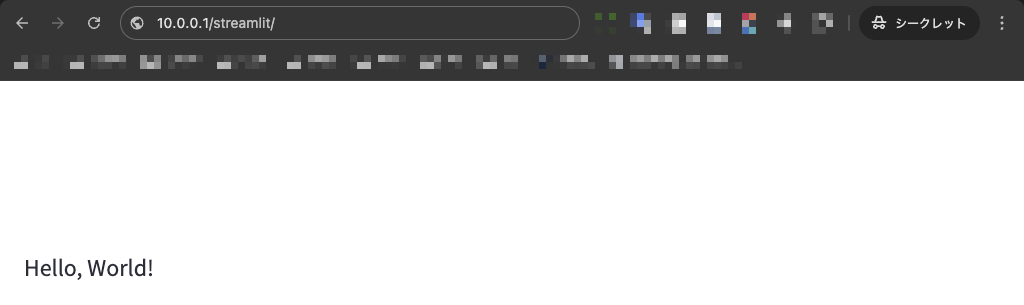
Web ブラウザで http://ADDRESS/streamlit/ へアクセスし、Hello, World! と表示されれば OK です。